Please do not just provide links to images.
Summarise the relevant information in text. This will be easier for
search tools, other users, and any one wishing to help you.
I never presume to speak for the Qubes team.
When I comment in the Forum I speak for myself.
They are images, not links to images as far as I am aware, since they are uploaded directly to the forum.
I did summarise the information, but seeing it as it is displayed sometimes will show that I’m not just messing up my information and saying things that aren’t actually true.
So it is just evidence of the facts.
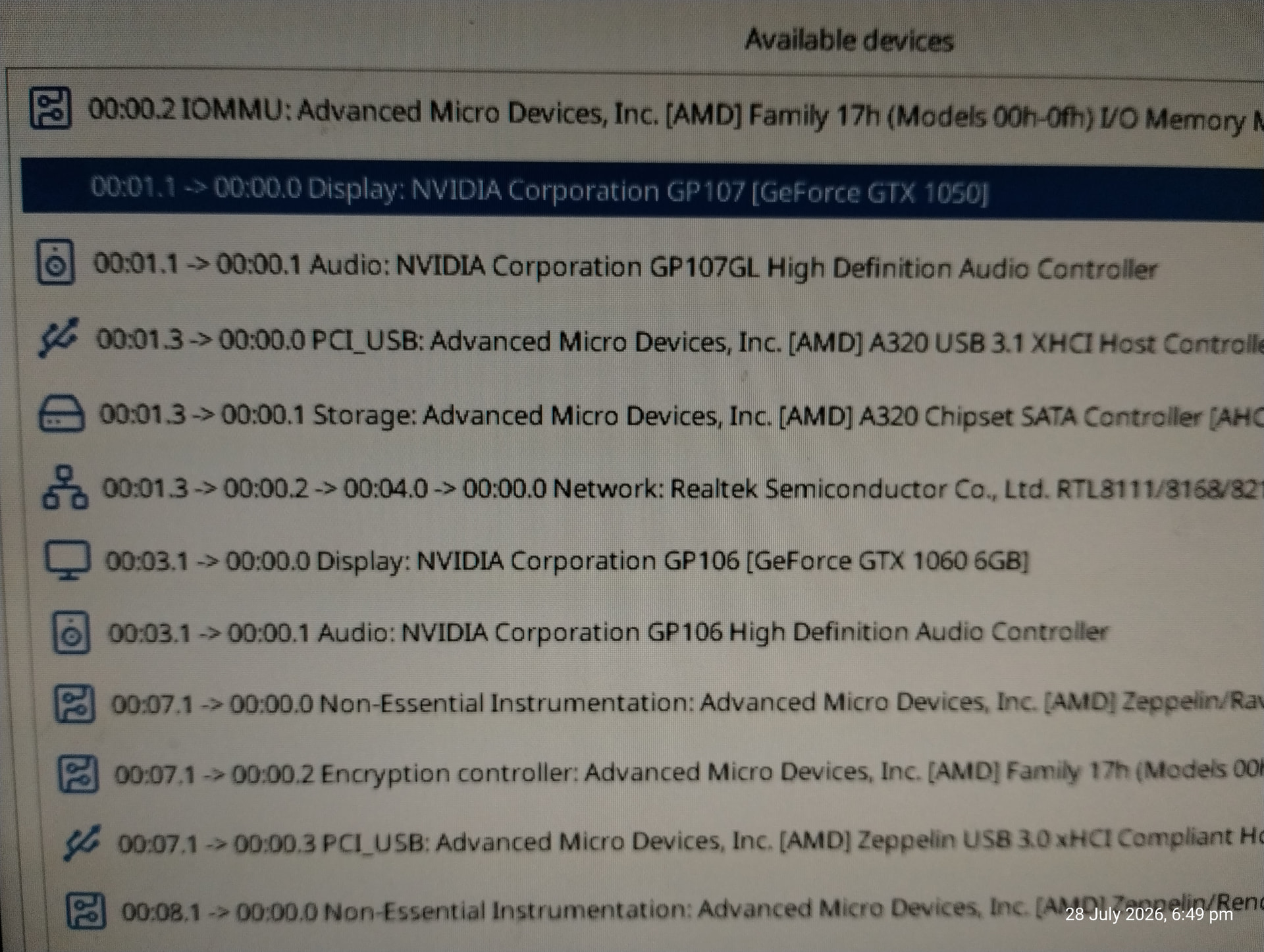
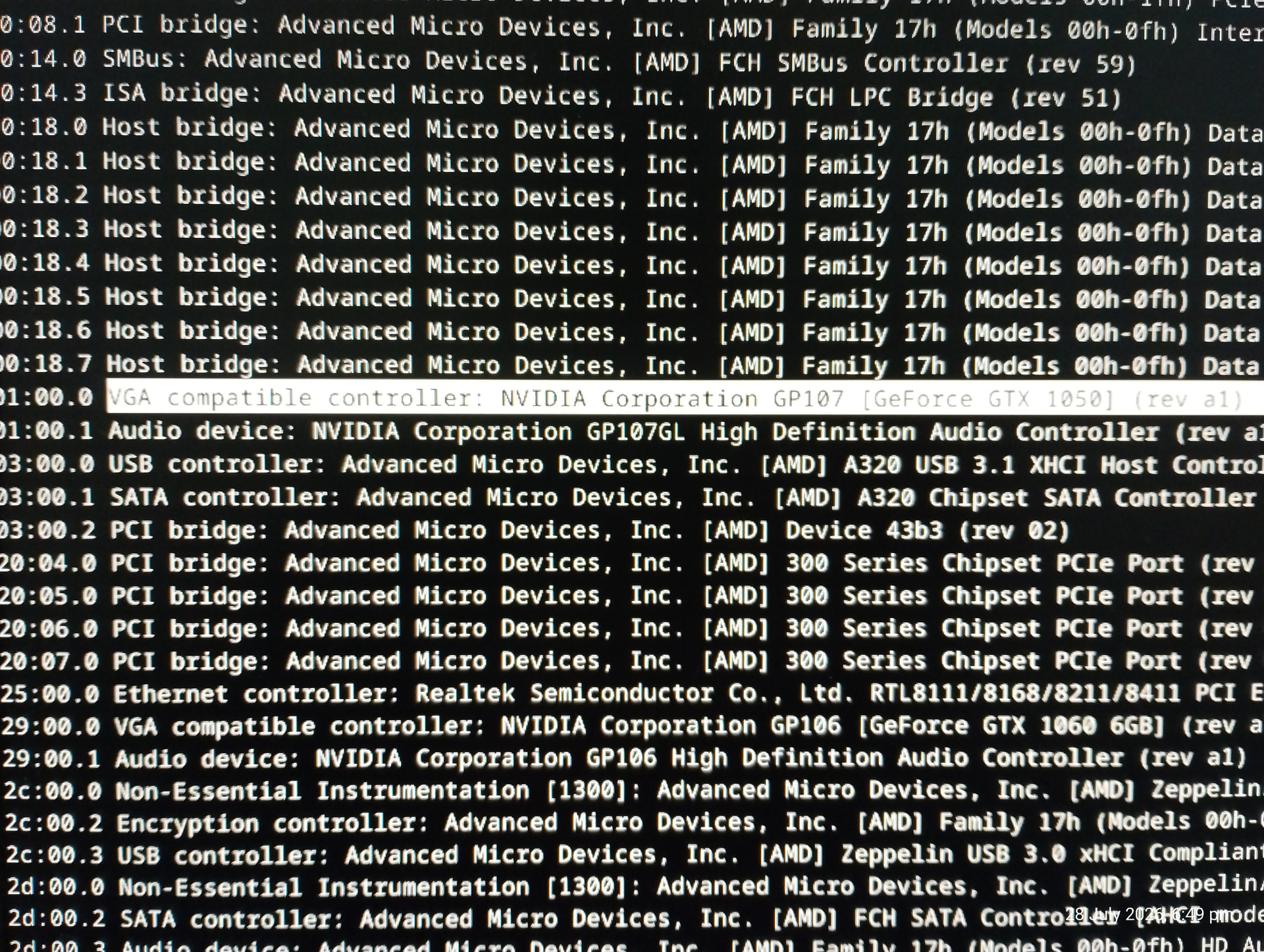
And also someone else might see another device they may say that I need to add something else or do something else that I hadn’t thought of or known about.
You can hide device from dom0 by using rd.qubes.hide_pci= option on the kernel cmdline (add in /etc/default/grub and then do grub2-mkconfig -o /boot/grub2/grub.cfg). For multiple devices, separate with coma. You can use either addresses as listed by lspci or by qvm-pci - both will work, but the latter are stable across hardware changes (like plugging in another card).
It is in the forum, and I had found that here, and I do have that in the config.
But I don’t have the comma, might be the issue. Might be that other persons issue as well since I copied straight from their post.
But what device IDs do I put in? from LSPCI?
multiboot2	/xen-4.19.4.gz placeholder  console=none dom0_mem=min:1024M dom0_mem=max:1024M ucode=scan gnttab_max_frames=2048 gnttab_max_maptrack_frames=4096 iommu=on amd_iommu=on rd.driver.pre=xen-pciback xen-pciback.hide=(0000:01:00.0)(0000:01:00.1) xen-pciback.passthrough=1 xen-pciback.permissive=1 ${xen_rm_opts}

No comma between the brackets, I'm putting it in and trying that now.
Reboot. That’s it. Of course, when in BIOS NVIDIA is not set as the default/primary GPU to use. It might also depend on which GPU setting in BIOS you installed Qubes in the first place. When it was NVIDIA exclusively, I am afraid I have some bad news for you.
No brackets either? Wow, the documentation I had read was way off… Okay, will add that into the /boot/grub2/grub.cfg file and try it out without the brackets and the leading 0’s…
I edit the grub configuration file directly. All I have in there is the timeout and the menu entry, I remove all the useless garbage, lol.