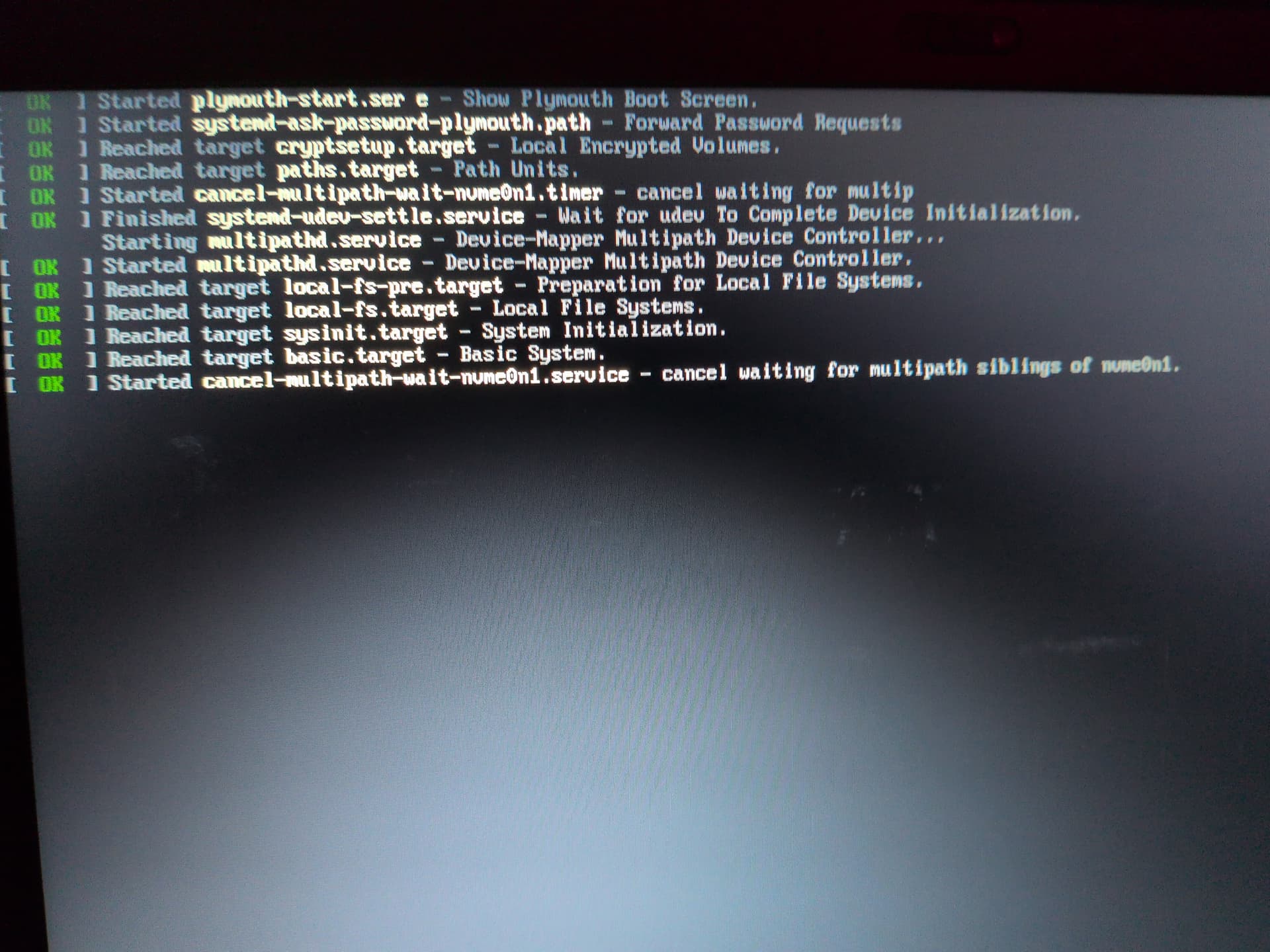
Hello, I can’t install Qubes. When starting the USB Stick it hangs on boot because it has to wait for my Nvme or something.
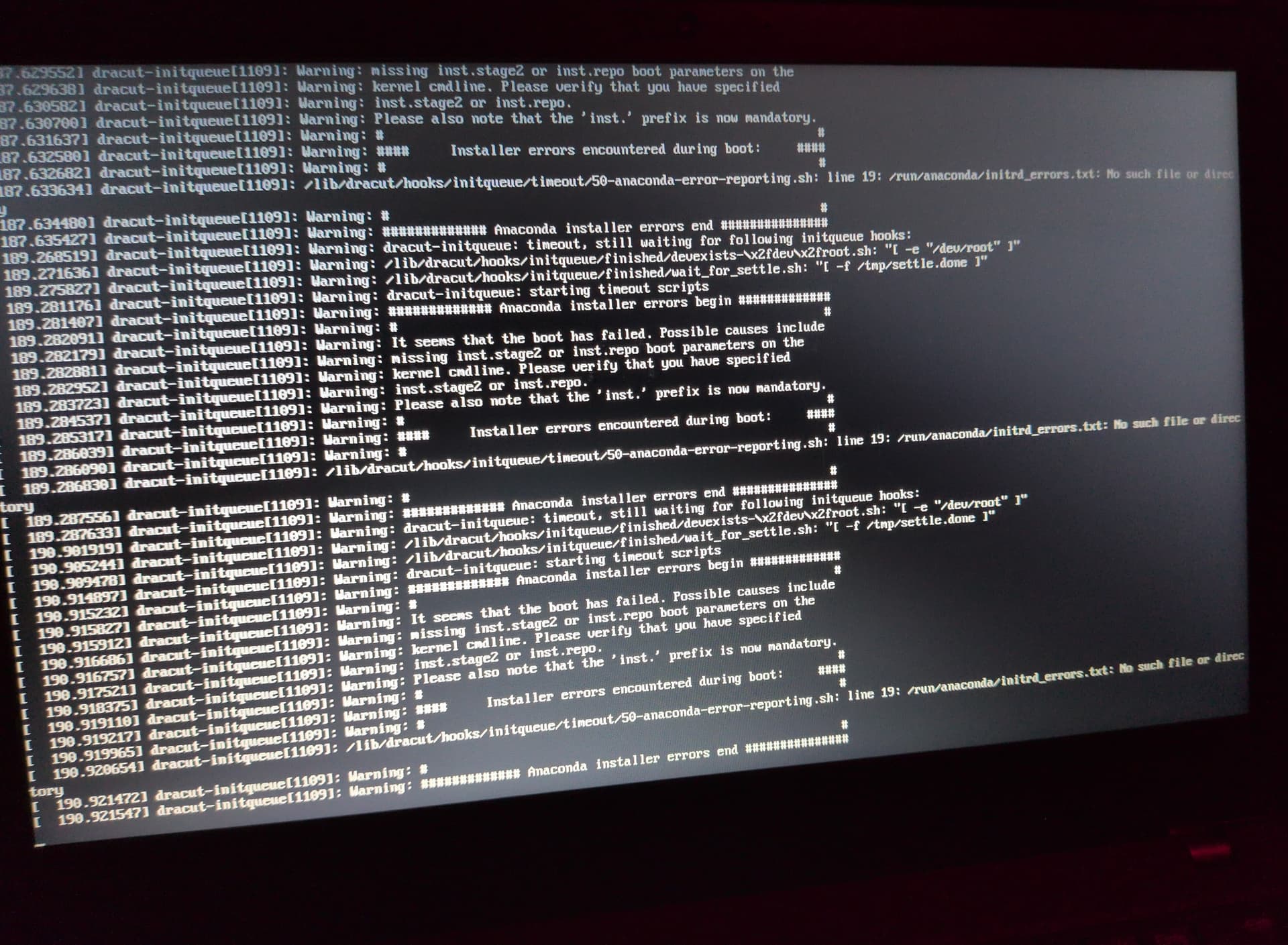
After that I get error messages and the system is in a loop.
Do i need coreboot to be able to use QubesOS?
Hello, I can’t install Qubes. When starting the USB Stick it hangs on boot because it has to wait for my Nvme or something.
After that I get error messages and the system is in a loop.
Do i need coreboot to be able to use QubesOS?
How did you make the USB installer, with what program ? I’ve never had an issue using dd
Have you tried the option to check the integrity of the installer USB ? It seems that might be the issue. You could also try another USB stick
Failing that, try wiping the nvme drive clean. FYI the T480 definitely works well with Qubes
I’ve used Rufus on Windows.
I don’t think so. I don’t know if Rufus does that.
I will go through everything again and then report back. Thank you very much for your help.
When you start from the USB installer, the first page has the option to verify the installer USB but it seems that is not available with Rufus
Did you check the box for “write in DD mode” instead of the recommended option ?
Yes, I reflashed the stick in dd-mode with Rufus and my QubesOS boots, but unfortunately the verification fails, so I have to boot directly.
Are there any other tools as Rufus? I personally don’t like this tool at all. I still have BalenaEtcher, but it hangs when I select the Qubes ISO.
What do you mean the verification fails and you have to boot directly ? Verification won’t work with a Rufus USB, did you try running the install anyway ?
I use dd in Linux and it always works. If you have a couple of USB sticks you could make one live USB of fedora iso and then use that to open terminal and run dd to create qubes USB
I was never successful using Rufus in writing a USB stick. I have installed Qubes to my two different T480 several times. Often I have used the “USB image writer,” that is in Mint Linux. usually Ubuntu. Because I am a bit leery of dd copying over the wrong drive.
Also proved helpful to me on occasion. As well as clearing the USB stick before writing the Qubes image to it.
I have discovered, (I have made nearly every mistake that one could make in doing this.) the going to the basic documentation, and going through the steps there, one by one can be useful. Like checking whether the correct settings are there in the BIOS/EFI… and so on.
When I start the QubesOS USB stick, I can select at boot time whether the installer should be started directly or whether the stick should be verified first and then the installer started.
The verification fails for me, although this doesn’t really make sense if rufus writes the image directly to the stick via dd. Accordingly, the hash values should also be correct, but somehow this does not happen here.
Because that doesn’t work, I started the installer directly.
I can start the installer directly and something happens. I can install Qubes, even if it looks like the installer is so slow or even frozen.
Let’s see what happens.
Nevertheless, it annoys me that the hash check fails.
You should absolutely not attempt an install off corrupted media!
I understand, the installation was just a test for me. I am already looking for a solution to write the Qubes ISO cleanly to my stick.
Did you see this note in the installing doc I linked ?
“Note: Using Rufus to create the installation medium means that you won’t be able to choose the “Test this media and install Qubes OS” option mentioned in the example below. Instead, choose the “Install Qubes OS” option.”
I don’t use windows or Rufus but it appears Rufus adds an extra file that breaks verification
That’s good, you’re making progress.
Something to potentially try is disabling wifi and Bluetooth in the bios settings. I’ve found that it slows installation on some laptops.
This may be one of the stupidest design decisions ever! 
Right up the list, close to “you have to accept the host key on the first ssh connect” advice… instead of “VERIFY and eventually accept the host key”.
I would like to share a short update: For all Windows users who want to write a QubesOS USB stick, I recommend the “Fedora Media Writer” [Download] .
It is quite good, writes the image to the stick quickly and then checks that everything has been written correctly and without errors.
After I booted QubesOS from the stick, the verification went through without any problems.
Hi, I just came here to say:
Something similar happened to me. In my experience, Rufus doesn’t work well with the Qubes OS Linux image.
If you want to create a bootable USB drive from Windows for Qubes OS, I simply recommend:
Balena Etcher
It’s all you need, but be warned that you might have screen rendering problems if you’re using any unusual type of integrated AMD graphics with the latest Qubes OS images.
Excellent. Hopefully, if more people have success with Fedora Media Writer, the docs can be updated to recommend it instead of Rufus
Same here!
I thought it was a problem with the ISO file.
Tried Rufus and Balena Etcher, same issue.
I’ll try using Fedora Media Writer since you say it writes and verifies the QubesOS image correctly.
Hi, I agree about Rufus because it’s happened to me.
But not with Etcher. I’ve never had problems with the current Qubes OS images on Windows 10/11, so it’s probably an internal issue with your system.
I don’t think Balena Etcher is what it used to be either. It doesn’t even work for me on a freshly installed Windows 11 system. The program has a lot of bugs, tracks the user’s interactions without their consent and sends this tracking data to various third parties. At least you can disable tracking in the tool’s settings. Nevertheless, I have the feeling that Balena Etcher has a very poor code quality overall, probably AI generated, but I can’t judge that, it’s just a subjective perception.