Could a power failure or unauthorized access from hackers change the disk password? I can’t remember just the end of the paper with the password before the clean install, I wish I could find it, but I have rebooted and tried the password three times.
yes if the disk was damaged or the content corrupted
they could destroy the data, but without the LUKS password they should not be able to alter the data, like changing the password.
1 Like
Following Solene words, I recommend you to analyze your drive into another dedicated machine offline. If you can, setup Qubes OS on another machine and plug your drive into it to investigate if you can recover volumes eventually.
1 Like
Possibly related:
If you are using a laptop with smaller keyboards, please double check if the numlock status is the same as the installation. We had the exact case where the numlock status was different from the installation and user had issues with unlocking the LUKS password.

2 Likes
I’ve had a LOT of difficulty with numlock being turned on simply by closing a laptop, and there’s no warning whatsoever on that machine. And even those that warn about caplocks generally don’t warn about numlock.
(Personally I think caps lock is a totally useless thing [I can’t imagine why anyone other than the sorts of people who post in all caps would want it] and I’d love to see keyboards without it. And passwords, etc. are a place where it can be worse than useless.)
2 Likes
Thank you very much. But is it possible that the SSD is corrupted with these CUI commands?
It is good to know that the crackers cannot try to change the disk password.
Thanks, is there any way to do that, e.g. in recovery mode on the QubesOS installation USB?
Thanks. I don’t think it’s anything like a typo as I use it on the desktop and the password entered with the F8 key is displayed.
Personally, I think that the fact that the OS is loaded and proceeding so far makes it unlikely that the encrypted drive or something is corrupted, and that you simply haven’t gotten to the password at the end.
Thanks, CapsLock is a legacy of the past for me too, like an appendix (though I hear it is now being found to have a meaning to the appendix as well.) I press the F8 key to display the password, so I don’t think it is possible that I typed it incorrectly.
What I’m wondering is if I just can’t get to the password at the end, and I’m thinking that the SSD may not actually be corrupted, but is it reasonable to assume that a sudden shutdown due to a power outage would not cause that, or is that correct?
When corruption happens, it’s always on a small storage area, not the whole disk. Everything may be fine except the LUKS header for instance.
is this a fresh installation and are you using a non qwerty layout? This happened to me once, I installed Qubes OS with encryption but the passphrase was typed in qwerty, but I’m always using azerty otherwise, so the disk passphrase did not match for me (I’m used to this issue though, so I figured it out, there is 50% chance I have to type my password in qwerty depending on the distro -_-).
1 Like
It might be a good possibility. I have three months worth of diary-like notes that I wish I could do something about.

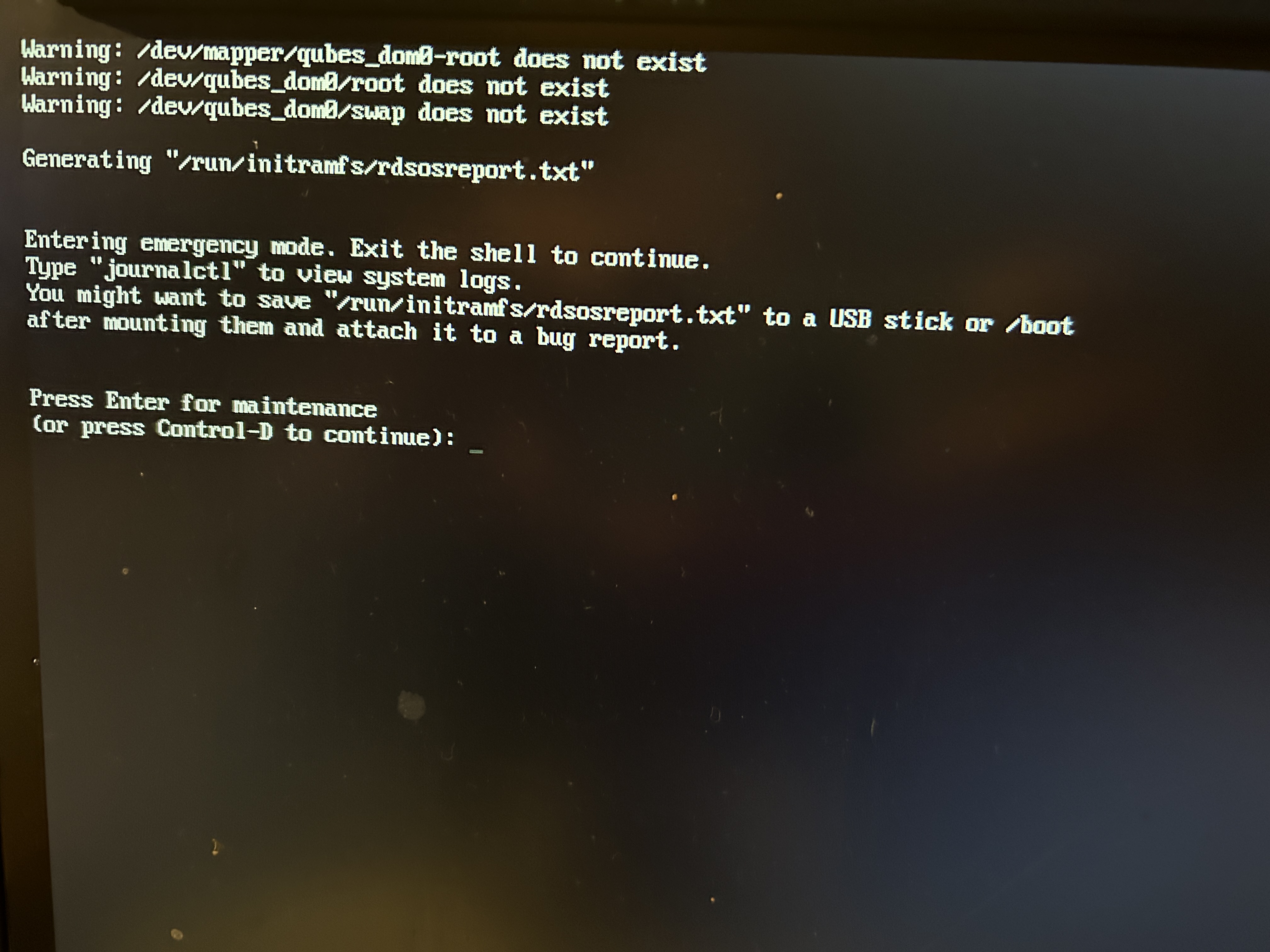
This is the image when Esc is pressed. Is it still partially broken?
The keyboard is a qwerty keyboard, and when I type, I can see the password I typed with F8, so there should be no typos.
You can boot from the Qubes OS installer USB disk, enter the shell by pressing Ctrl+Alt+F2 and try to decrypt your LUKS partition there.
Find your Qubes OS LUKS partition name using:
fdisk -l
blkid
And try to decrypt it:
cryptsetup open /dev/nvme0n1p3 luks
Here /dev/nvme0n1p3 - your Qubes OS LUKS partition.
2 Likes
Thanks again. I was going to try this method but gave up and did a clean install of QubesOS.
I assumed that as long as I didn’t know the disk password, I couldn’t log in, but was it also possible to log in without a password by typing this command?
You need to know the password to be able to decrypt the disk using cryptsetup command.
1 Like
That’s right. Otherwise, it would be easy to break through the disk password as long as you have the installation USB. I will make regular backups from now on.
1 Like