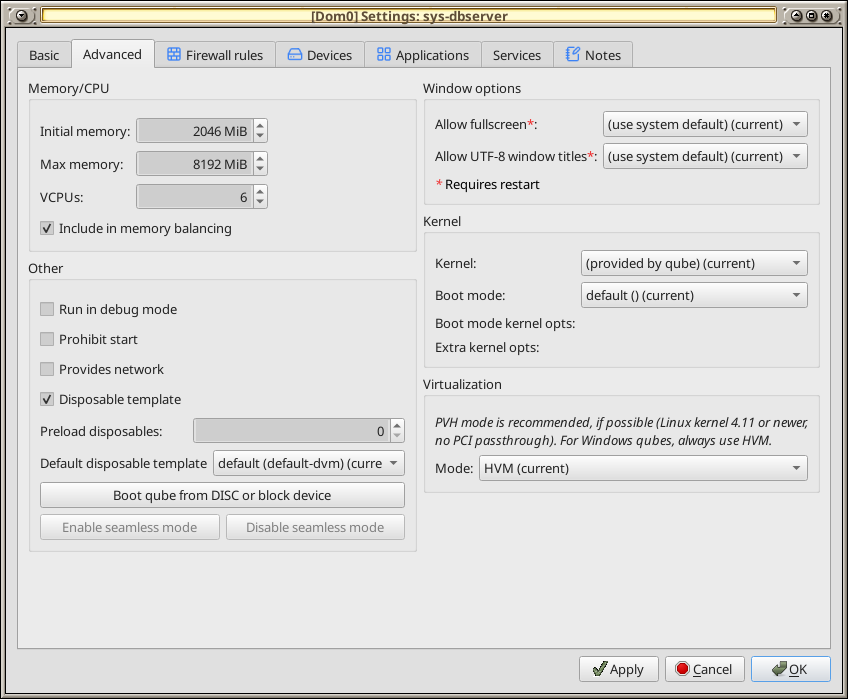
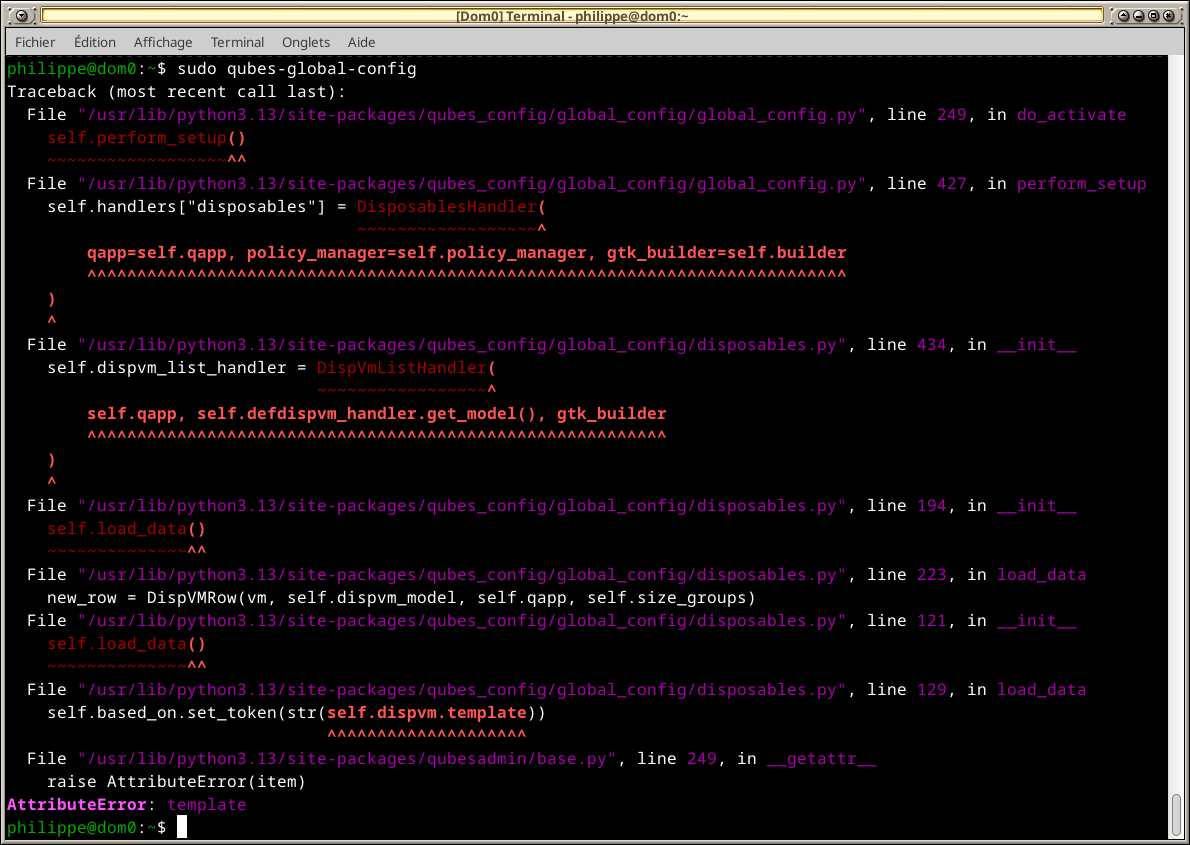
If this is not acceptable to have a HVM set as ‘Disposable’, show an error dialog to tell about. Or even better: the checkbox isn’t accessible in this specific case.
Open a default-dvm-clone 1 App ( template a clone of: Fed43 & Deb13) by Q4.3.1-updated, is not possible; it shutdown immediately after start. I was trying to open brave browser or any other app like file manager.
This is happening from today, yesterday everything was working perfectly
After template fedora update to fed44, the issue with clone-fed is resolved.
issue with clone-deb13, resolved, I did open in the template a terminal and did sudo apt update && sudo apt upgrade and sudo apt autoremove, after a restart it worked again,
I’m aware, this kind of update and upgrade in the terminal shall be avoid. - as it has been done in the template clone used only for that subject, the risk was under control.
Dumb question maybe, but how do i upgrade to qubes-desktop-linux-manager-4.4.0-1.19.fc41.noarch?
I have tried normal updating, as well assudo qubes-dom0-update qubes-desktop-linux-manager --enablerepo=qubes-dom0-current-testing and sudo qubes-dom0-update qubes-desktop-linux-manager --enablerepo=qubes-dom0-unstable.
For both I get: Package "qubes-desktop-linux-manager-4.3.26-1.fc41.noarch" is already installed..
Don’t try R4.4, it is considered unstable. The package seems to be only on R4.4 current-testing, and I don’t know when the migration to current-testing of R4.3 will happen, although I believe it normally takes two weeks.
If I were you, I’d patch the issue by modifying the file qubes_config/global_config/disposables.py, that is in the Python directories. It is a simple one line change there.
If you mess things up, you can always reinstall the package with something like: sudo qubes-dom0-update --action=reinstall qubes-desktop-linux-manager.