Good day everybody!
I have similar issue when installing Qubes 4.3.2 onto a PC containing Intel i7-14700KF and Nvidia GeForce 4070 Ti.
I got it to install with a help from LLM (please read below if interested, hopefully this helps). Please consider this as a helpful resource, this is NOT 100% fix. This may not work in your case.
QUBES OS 4.3.2 ON NVIDIA GEFORCE RTX 4070 Ti (AD104)
Installation, first boot, and persistent initramfs repair – field report, 15-16 November 2026
STATUS AND DISCLAIMER
This is an unofficial, single-machine troubleshooting report, written with
assistance from ChatGPT and based on a successful installation. It is not an
official Qubes OS guide, has not been independently security-reviewed, and
may not apply to other hardware, Qubes releases, kernels, or firmware packages.
USE AT YOUR OWN RISK. Back up important data before installing Qubes OS.
The working method used the official installer and temporary commands in a
dracut shell. A subsequent initramfs rebuild using dracut --force succeeded,
and a later reboot reached the Qubes desktop. A separately attempted custom
ISO rebuild was NOT successful; no modified installer ISO is required or
recommended by this report.
TESTED CONFIGURATION AND OBSERVED RESULT
OS: Qubes OS 4.3.2
Graphics: NVIDIA GeForce RTX 4070 Ti (Ada Lovelace / AD104)
Driver: in-kernel nouveau, using NVIDIA GSP firmware
Firmware: gsp-570.144.bin.zst (as observed on this machine)
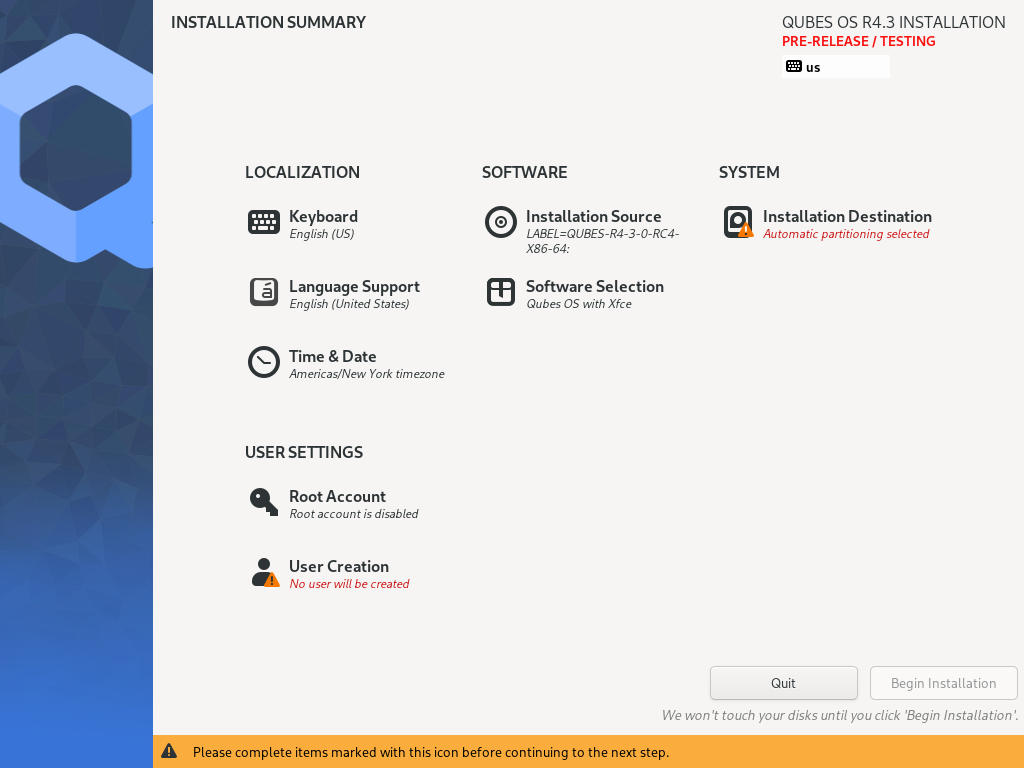
Result: graphical Anaconda installer started; installed Qubes
subsequently reached the desktop; initial Qubes setup
was run manually. Regenerating initramfs with dracut
resolved the recurring early-boot graphics problem,
followed by a successful reboot.
The essential workaround was to make the AD104 firmware path resolve to
existing AD102 GSP firmware, redirect the kernel’s firmware search path to
/sysroot/lib/firmware, and reload nouveau BEFORE proceeding with boot.
The manual redirection does not survive a reboot; the later initramfs
rebuild is the tested persistent repair. Removal of the temporary GRUB
arguments was discussed separately and has not been independently confirmed
as completed.
- RECOGNIZE THE FAILURE
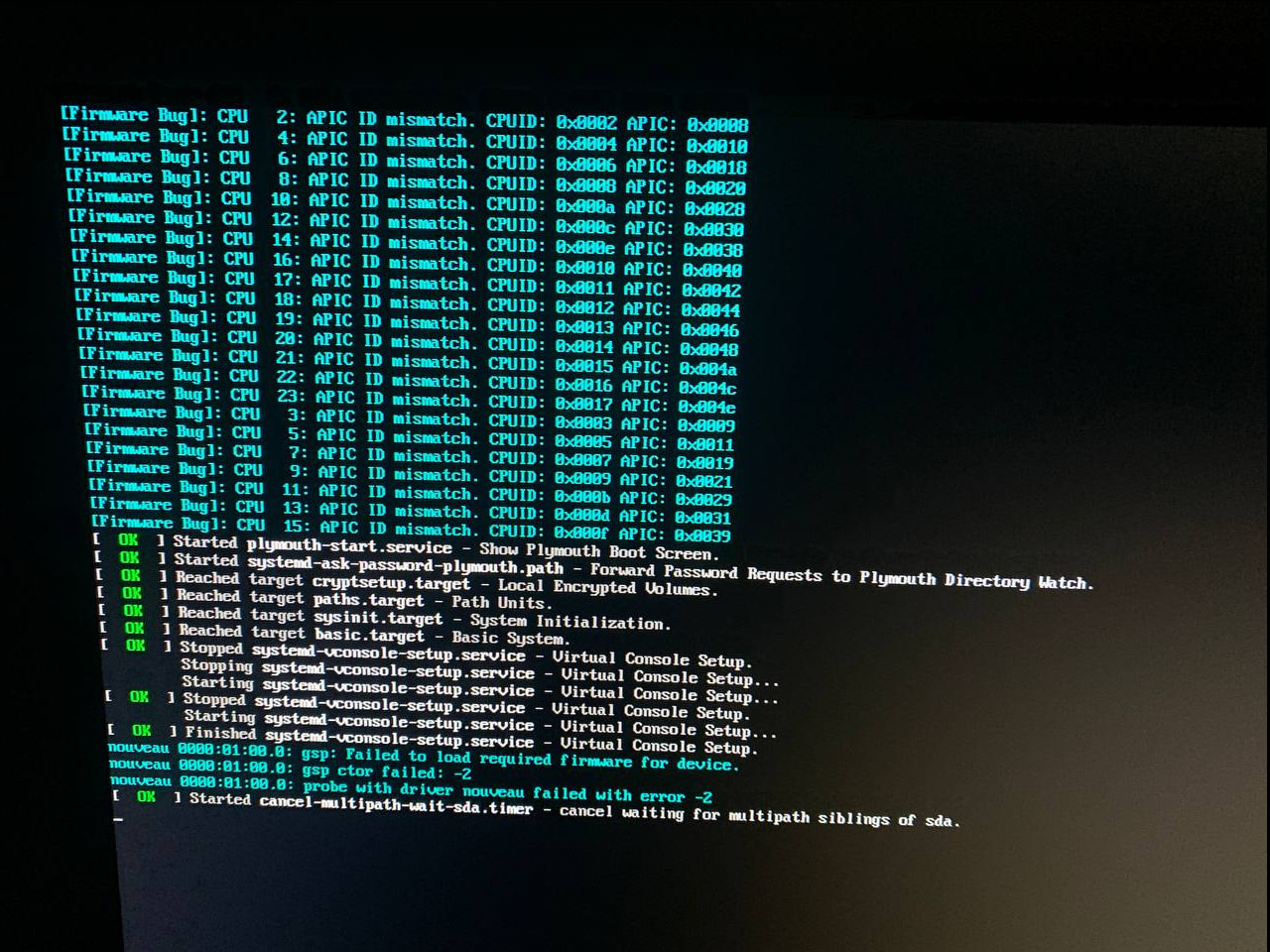
The original boot reached graphics initialization but nouveau could not
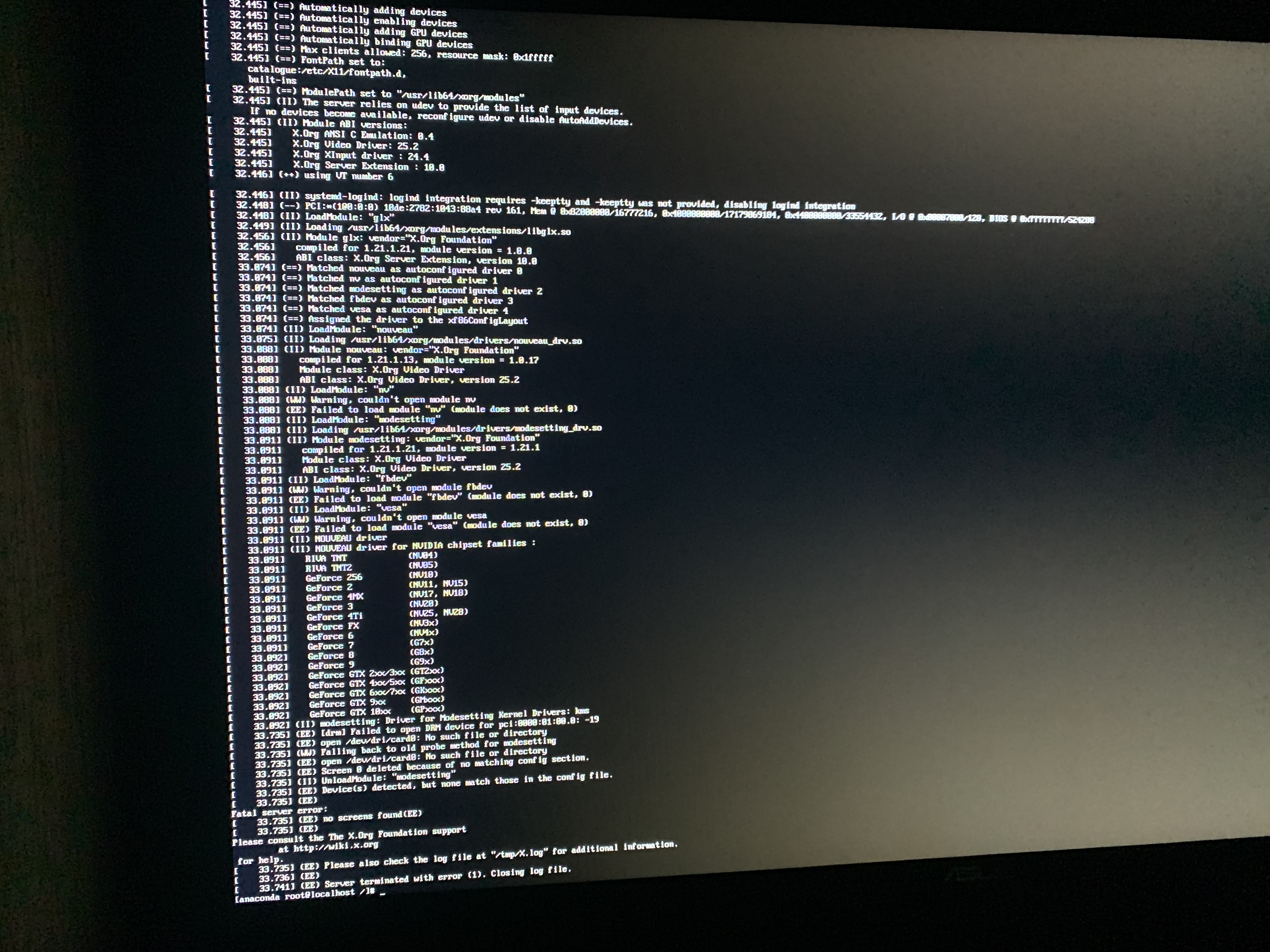
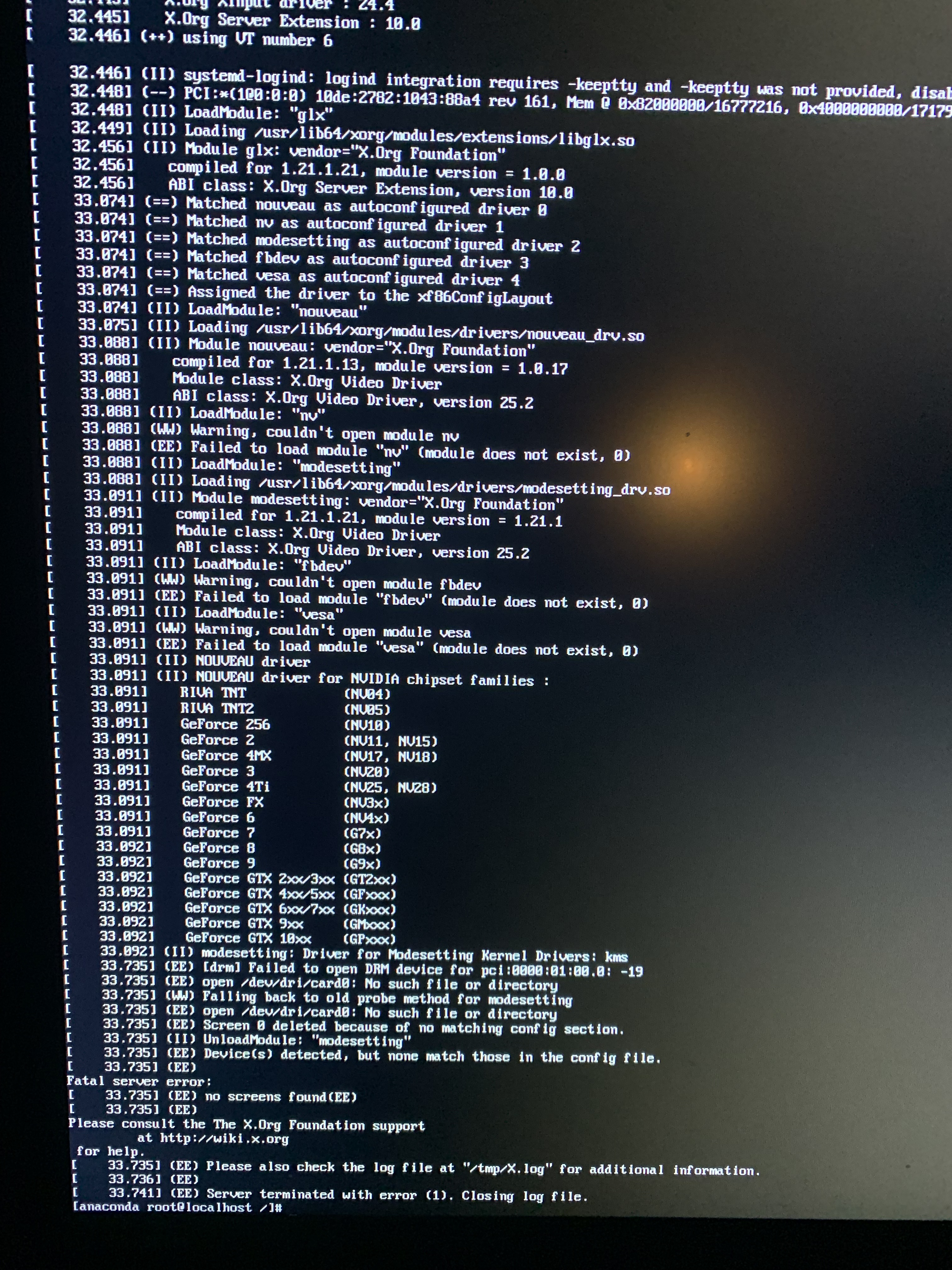
find the required AD104 GSP firmware. Observed messages included:
gsp: no loadable required firmware for device
gsp: ctor failed: -2
probe with driver nouveau failed with error -2
open /dev/dri/card0: No such file or directory
(EE) no screens found
Here, -2 is ENOENT (file not found). On this machine, the firmware files
existed under /lib/firmware/nvidia/ad102/gsp/, whereas the expected
/lib/firmware/nvidia/ad104 path was missing. A symlink from ad104 to ad102
provided the required mapping. Do not blindly create this symlink if your
firmware layout or GPU differs.
- BOOT THE OFFICIAL INSTALLER INTO A DRACUT SHELL
-
Download Qubes OS from the official website and verify the ISO according
to the Qubes installation instructions. Write it to USB normally.
-
In UEFI/BIOS, enable the virtualization/IOMMU features required by Qubes
and disable Secure Boot as documented by Qubes. Boot from the USB stick.
-
At the installer GRUB menu, select the installation entry and press ‘e’
to edit it (the key and interface may differ on other boot menus).
Find the line that loads the Linux kernel and APPEND these parameters:
rd.driver.blacklist=nouveau rd.break=pre-pivot
Keep the existing kernel parameters. Boot the edited entry (usually
Ctrl+X or F10 in GRUB). These changes are temporary for this boot.
The blacklist prevents automatic nouveau loading during the relevant
initramfs stage; we will explicitly load it after preparing firmware.
-
At the pre-pivot dracut shell, /sysroot must already be mounted. Check:
mount | grep ’ /sysroot ’
ls -l /sysroot/lib/firmware/nvidia/
This workaround assumes /sysroot contains the needed firmware and is
accessible. Do not continue if /sysroot is absent or is not the expected
installer root filesystem.
-
REPAIR THE AD104 PATH AND RELOAD NOUVEAU
Run the following commands in the dracut shell (normally as root).
A. Check for the firmware observed on the tested machine:
test -e /sysroot/lib/firmware/nvidia/ad102/gsp/gsp-570.144.bin.zst && echo FIRMWARE_OK || echo FIRMWARE_MISSING
If FIRMWARE_MISSING is printed, inspect the actual GSP filenames:
ls -l /sysroot/lib/firmware/nvidia/ad102/gsp/
STOP and investigate if no suitable GSP firmware exists. The exact
version may differ in a newer ISO; do not invent a firmware filename.
B. Check the AD104 path:
ls -ld /sysroot/lib/firmware/nvidia/ad104
If the path does not exist, and /sysroot is writable, create the link:
ln -s ad102 /sysroot/lib/firmware/nvidia/ad104
Do NOT overwrite an existing directory or symlink without investigating
it first. Verify that the firmware resolves through AD104:
ls -l /sysroot/lib/firmware/nvidia/ad104/gsp/
In our tests, making this symlink alone did NOT fix boot. The kernel had
already attempted firmware lookup in the early initramfs environment.
C. Crucial step: redirect the kernel firmware loader to the prepared path:
 printf %s /sysroot/lib/firmware > /sys/module/firmware_class/parameters/path
 cat /sys/module/firmware_class/parameters/path
It should now print:
/sysroot/lib/firmware
This changes the running kernel’s firmware search path; it does not
rebuild or permanently edit an initramfs.
D. Unload nouveau if present, then load it again:
 modprobe -r nouveau
 modprobe nouveau
If the first command reports that nouveau is not loaded, continue to
the second command. If the second command fails, inspect the logs:
 dmesg | grep -iE 'nouveau|gsp' | tail -n 30
 ls -l /dev/dri/
On the successful attempt, nouveau loaded GSP firmware, initialized DRM,
and exposed devices such as /dev/dri/card0 and /dev/dri/renderD128.
E. Resume the boot:
exit
The graphical Anaconda installer should now start if this was the same
firmware-path problem. Complete the normal Qubes installation and remove
the installation USB when prompted to reboot.
- FIRST BOOT OF THE INSTALLED SYSTEM
A successful installation does NOT necessarily mean the installed system’s
initramfs has the firmware path fixed. On the tested machine, the first
installed-system boot also needed a manual workaround.
-
At the installed Qubes GRUB menu, temporarily append the SAME parameters
to the installed system’s kernel line:
rd.driver.blacklist=nouveau rd.break=pre-pivot
-
In its dracut shell, verify that /sysroot is mounted and points to the
installed root filesystem. Repeat the firmware checks and make sure
/sysroot/lib/firmware/nvidia/ad104 resolves to ad102. If missing and
writable, create the link as in section 3B.
-
BEFORE resuming boot, repeat the working sequence:
printf %s /sysroot/lib/firmware > /sys/module/firmware_class/parameters/path
modprobe -r nouveau
modprobe nouveau
dmesg | grep -iE ‘nouveau|gsp’ | tail -n 30
exit
-
On the tested desktop, this brought Qubes to the graphical desktop.
-
IF THE INITIAL QUBES SETUP WIZARD IS SKIPPED
On our first successful graphical login, the Qubes desktop opened with no
preconfigured qubes/templates: the Initial Setup wizard had not run.
From a terminal in dom0, run:
sudo /usr/libexec/initial-setup/initial-setup-graphical
Then choose the templates and default system qubes in the setup interface.
This command was used successfully in the tested installation. It also
matches a separately reported Qubes OS 4.3.2 first-boot issue.
- PERSISTENT REPAIR: BACK UP INITRAMFS, THEN REBUILD (TESTED)
Once Qubes has reached the desktop, open a terminal in dom0. The temporary
firmware_class.path redirection used in the dracut shell is not persistent.
In our follow-up test, rebuilding initramfs with dracut --force solved the
recurring graphics initialization problem. Qubes booted successfully after
rebuilding the images and rebooting.
A. First, verify that the installed root filesystem has the firmware link:
 ls -ld /lib/firmware/nvidia/ad104
 ls -l /lib/firmware/nvidia/ad102/gsp/
 test -f /lib/firmware/nvidia/ad104/gsp/gsp-570.144.bin.zst && echo OK || echo MISSING
The filename above was observed on our machine; firmware revisions can
change. If it is missing, inspect the real filenames and target of ad104
rather than blindly copying the command. If ad104 does not exist and
ad102 contains the suitable firmware, create the link:
sudo ln -s ad102 /lib/firmware/nvidia/ad104
Do not replace an existing directory or link without first checking it.
B. RECOMMENDED SAFETY STEP: back up the current initramfs image(s) BEFORE
regenerating them. Make sure dom0 has enough disk space:
 sudo mkdir -p /root/initramfs-backup
 sudo cp -a /boot/initramfs-*.img /root/initramfs-backup/
 sudo ls -lh /root/initramfs-backup/
These commands preserve the old images under /root/initramfs-backup/.
Keep the backup until the system has been rebooted successfully. For
critical data, keep a separate verified backup as well; this initramfs
backup alone is not a full system backup.
C. Regenerate the installed initramfs images:
sudo dracut --force --regenerate-all
The command tested in our Qubes setup uses both --force and
–regenerate-all. The --force option allows the existing initramfs
image(s) to be overwritten; --regenerate-all covers installed kernels.
Wait for the command to finish, and check its exit status immediately:
echo $?
An exit status of 0 indicates dracut completed successfully, but also
inspect the generated image before rebooting.
D. Inspect the new initramfs for firmware content, using the running kernel:
sudo lsinitrd /boot/initramfs-$(uname -r).img | grep -E 'nvidia/(ad102|ad104|ga102)|gsp-570'
On our machine, the firmware links were checked and the subsequent reboot
succeeded. If this check returns no matches, investigate before rebooting:
a missing filename, different kernel version, or different firmware layout
may require a different check. Do not assume the repair succeeded based
solely on a zero exit code.
E. Reboot and verify that Qubes reaches the desktop:
sudo reboot
RESULT ON THIS MACHINE: successful. The follow-up test confirmed a reboot
after the dracut rebuild. This supersedes the earlier version of this
report, which described initramfs regeneration as unverified.
F. GRUB CLEANUP (SEPARATE STEP; COMPLETION NOT VERIFIED IN THIS REPORT):
Once the regenerated initramfs works, the temporary recovery arguments
rd.break=pre-pivot and rd.driver.blacklist=nouveau should not be needed
for normal boots. If you previously saved them permanently in GRUB,
inspect the actual configuration before changing it:
sudo grep -nE 'GRUB_CMDLINE|rd\.break|rd\.driver\.blacklist' /etc/default/grub
Back up the GRUB files before editing them, remove ONLY those two
temporary arguments wherever they were added, then regenerate the boot
menu with the method appropriate for your Qubes installation. We have
not independently confirmed that this final GRUB cleanup was performed
and tested, so it is not presented as part of the verified fix.
If the next boot fails, use the working dracut-shell procedure in sections
2-4 to recover. The old initramfs images in /root/initramfs-backup/ may
help with recovery if you can access the filesystem safely.
- WHAT WE TRIED THAT DID NOT WORK
The following list records observed unsuccessful attempts, not every
possible NVIDIA troubleshooting technique:
-
Creating the ad104 → ad102 symlink under /sysroot and simply leaving the
pre-pivot shell: firmware initialization had already failed; boot still
ended with a graphical failure / ‘no screens found’.
-
Trying to create /lib/firmware/nvidia/ad104 directly inside the early
initramfs: failed with ‘Read-only file system’. The successful method
used /sysroot and redirected firmware_class.path instead.
-
Attempting to reload nouveau before the firmware lookup path was
corrected: module operations produced errors (including ‘No such file or
directory’) and did not provide a reliable complete installation path.
-
An experimental script to rebuild the installer ISO, patching the
install.img and initrd.img firmware layout: the resulting medium reached
GRUB but stopped with ‘error: out of memory’. The script had appended an
uncompressed CPIO overlay to initrd.img; that was a suspected cause,
NOT a confirmed diagnosis. The modified ISO was not successfully tested.
-
Relying on rd.break=pre-pivot and a filesystem symlink WITHOUT the
printf-to-firmware_class.path step: insufficient in our tests.
Some command-line options (such as nomodeset or nouveau.modeset=0) were
considered during diagnosis, but were not confirmed as tested failures in
our notes. They are therefore NOT claimed here as unsuccessful tests.
Similarly, missing utilities such as lsblk, chroot, and BusyBox in the
minimal emergency shell are not evidence of a broken Qubes installation.
The procedure above does not require them.
- NOTES AND REFERENCES
- The key diagnostic is the GSP firmware lookup error -2 (ENOENT). Other
‘no screens found’ errors can have different causes.
- This procedure uses nouveau, not NVIDIA’s proprietary driver.
- The dracut --force --regenerate-all initramfs rebuild was successful on
the tested machine. Back up the original images before overwriting them.
- The successful post-rebuild reboot is confirmed; cleanup of persistent
GRUB recovery arguments has not been independently confirmed.
- Firmware versions and filesystem layout can change after updates.
- Qubes OS security depends on following its verified-installation guidance;
do not redistribute or trust a modified, unsigned ISO as if official.
- Report tested hardware and exact logs if seeking help on the Qubes forum.
End of report.