Hello first thanks for your contribution QWT really need an update.. however i encounter some issues with it , first in a clean win11 or win10 once i install the agent at the first restart of qube absolutely nothing is visible , cant access any menu ect… the only solution i have find is qvm-prefs vm-name debug true , strangely after that it’s start you see the login process then an empty black windows and from this black windows you can “use” the qube by typing win+X , but impossible make appear the start menu , clipboard also and trying to remove the seamless mode by qvm-features vm-name service.gui-fullscreen 1 dosent work
gui-fullscreen does not remove seamless mode, it controls if gui (either seamless or not) can emit fullscreen and maximized windows. and seamless mode is not supposed to show anything, you need to populate the application menu (todo: add some defaults)
I’m afraid the black window still shows. Observing the boot process, I have the impression that it is just a leftover from the black window showing the turning circle shown right after the BIOS window.
Here are the logs:
gui-agent-20260828-102721-6300.log (2.4 KB)
gui-agent-20260828-102718-7272.log (4.8 KB)
gui-agent-20260828-102405-4656.log (28.1 KB)
gui-agent-20260828-102719-8372.log (5.8 KB)
I had a similar behavior. After the first parts of the QWT installation, the PV driver shows a message asking for a restart to complete its installation. Answering “Yes” to that prompt shut down the VM immediately, resulting in a QWT that was installed only partially, had no IDD graphics, and was not useful at all. Replacing the template with a clean one and installing QWT, answering the PV driver message with “No” allowed the QWT installation to complete and produced a working VM.
- there is a way i can just disable the seamless mode ?
- how do we populate the qubes menu with windows app , refresh applications dosent work and return "Command '[‘qvm-sync-appmenus’, ‘vm-name]’ returned non-zero exit status 1.
- - why the difference between qube where the debug is enabled and not , when i dont enable it its look not usable when with service.enableWinKey 1 , impossible to get to the windows menu via shortcut
It is in qube settings. Appmenus used to sync normally, will have a look (as well as shortcuts sync in qube settings). WinKey acts somewhat weird in seamless mode (which is not a surprise).
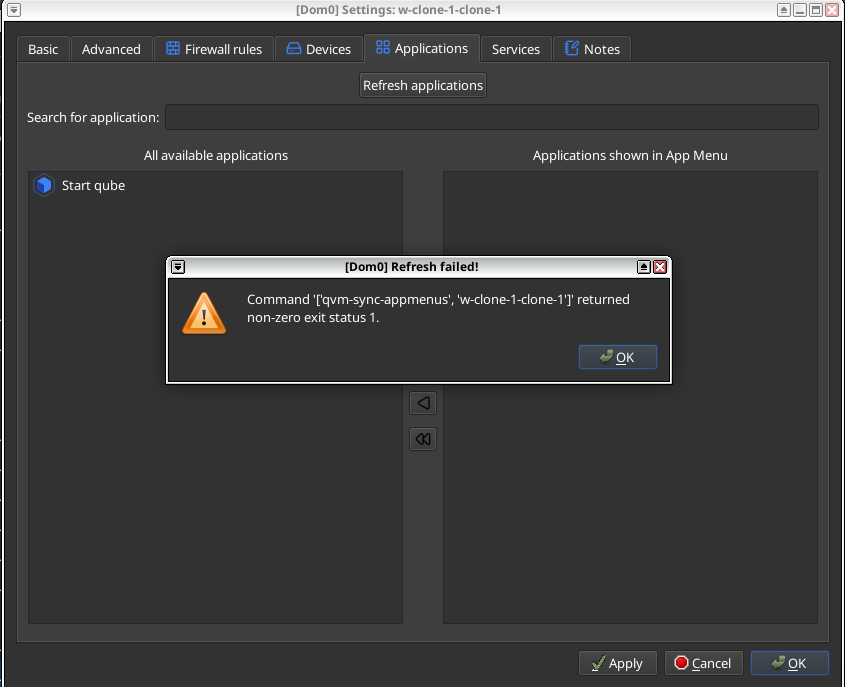
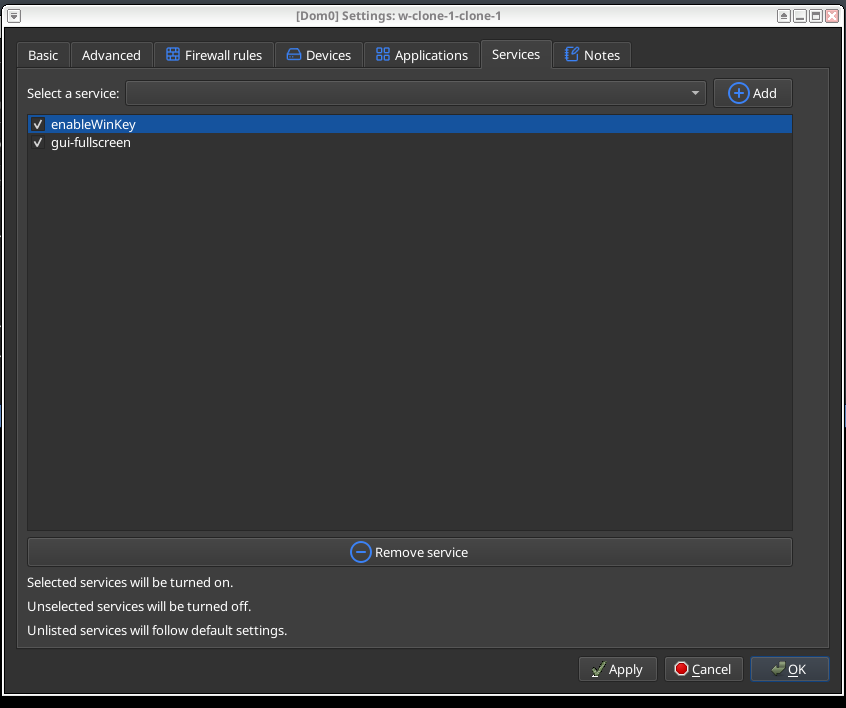
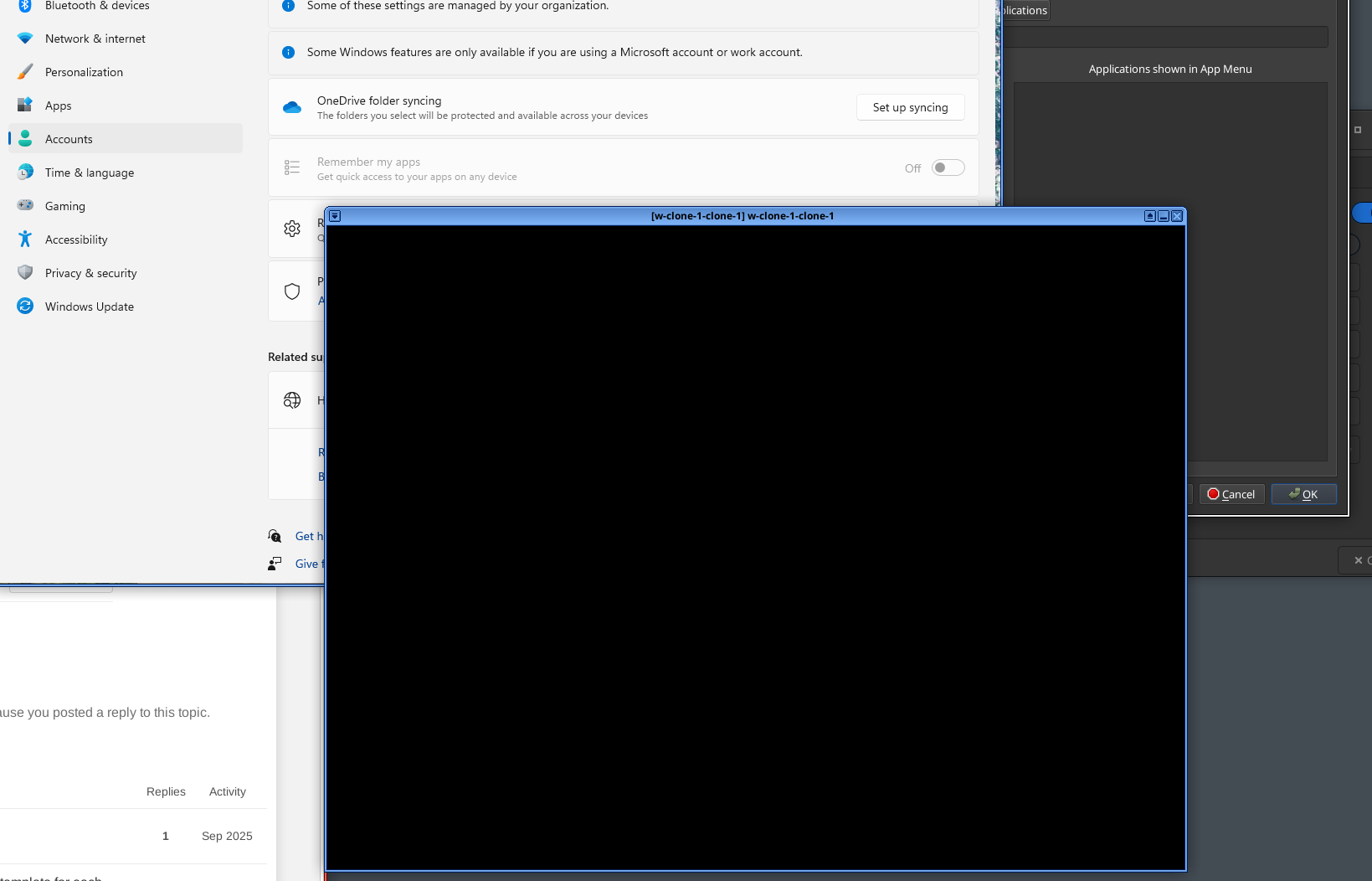
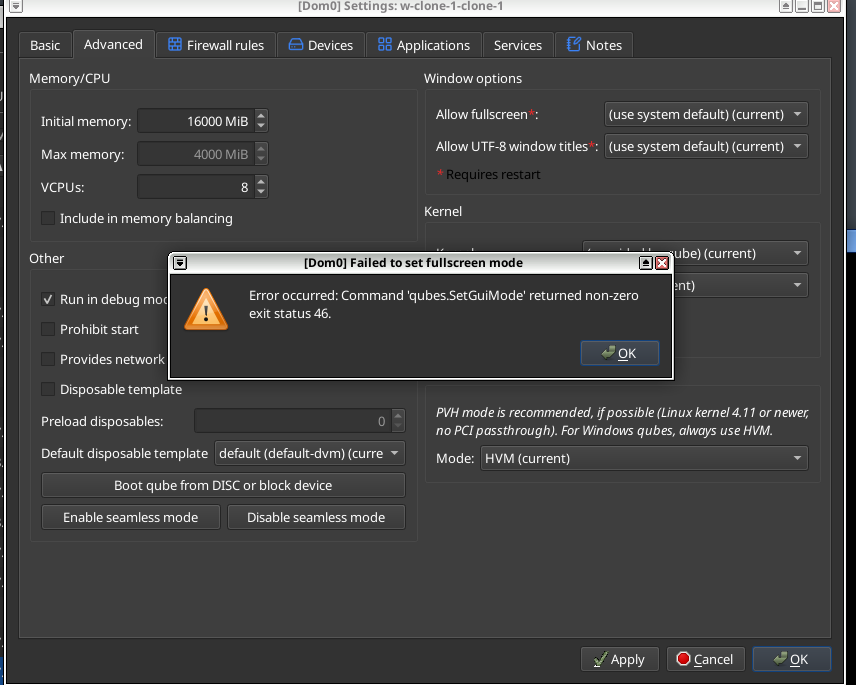
impossible disable the seamless like that.. do there is any other way ?
and i also screenshot’d the refresh app error and the black desktop windows.
Is the vm itself responsive in this state as on your screenshot? it all looks like some part of the installation went sideways, either autologon was not properly enabled or something else UPD: traced this down, exactly this code is truncated from “no logon session available”, investigating what could break the autologon again.
1 Like
the vm in this state kind of work (browser, file manager ect ok) but i remind you that we are in debug mode (without impossible to acces even this black screen from where we can move inside windows via win+X)
and also clipboard fail to fetch
weird. it all corresponds to some half-baked install. trying to produce a reliable fix, stay tuned.
1 Like
With the 4.3.13 version, the black window appears not only in the AppVMs, but in the Windows 11 template, too.
Windows 10 stays clean, but after rebooting, the template still has the CDROM attached, even if it is started from the Qube Manager.
expect some news today  new release is testing
2 Likes
Please grab 4.3.16, a lot of stuff changed under the hood
1 Like
Looks good so far. The mounting of the CDROM in the Windows 10 template no longer occurs. The black window in the Windows 11 template has also disappeared, but not in the AppVM based on that template. (Perhaps it is just the spying agent M$ had to implement on request of some orange guy in Washington?  )
)
1 Like
weird! give me more logs please also please try to turn uac on and off and if anything changes (needs template to be powered on and rebooted afterwards) upd: i ran extended acceptance protocol and found no issues so far
Maybe I found something: So far, I tested with quite an old AppVM. A newly created AppVM does not show the black window. I’m trying to hunt that down; it must be connected somehow with the AppVM’s private data.
Anyhow, here are some logs, but only from the AppVM, because the template has just one log, and that is empty, despite setting service.gui-agent-debug.
These are logs from the old AppVM, tested with UAC set to low and to none, both of which created the black window:
gui-agent-20260831-095627-4800.log (3.2 MB)
gui-agent-20260831-101510-2488.log (13.5 KB)
gui-agent-20260831-101509-6888.log (1.3 KB)
gui-agent-20260831-100813-4748.log (5.4 MB)
gui-agent-20260831-100024-6788.log (13.6 KB)
The newly created AppVM showed these logs:
gui-agent-20260831-094054-4948-part1.log (6.1 MB)
gui-agent-20260831-100411-5056.log (726 Bytes)
gui-agent-20260831-100406-6912.log (13.4 KB)
gui-agent-20260831-100229-5112.log (979.3 KB)
gui-agent-20260831-094054-4948-part2.log (5.6 MB)
gui-agent-20260831-095300-2796.log (13.4 KB)
gui-agent-20260831-095305-120.log (13.6 KB)
Something else: The template had several short logs of the qrexec-wrapper, which complained about authentication failure of the updater:
I copied the user directory from the old AppVM to the newly created one, but the black window still doesn’t appear after boot completes. The AppVM behaves normally and can even be used as a server in a client-server application. Even after setting UAC back from of to low, the black window in the new AppVM closes correctyl
Looking at the boot process in both AppVMs, I have the impression that the only difference is that the black window shown during booting just cannot be closed. It surely cannot be closed manually, and maybe the problem is that the closing operation in the new AppVM fails for some reason in the old AppVM. Weird, as you say!
This may also be the reason why you cannot reproduce this problem.
1 Like
that’s interesting. what can theoretically persist on private volume? almost nothing of this effect. will look closer. upd: honestly, i am out of ideas. but the problem seems solved so far? maybe we may postpone the proper solution assuming that one of earlier version left you VM in an odd broken state, which is worth investigating but not a quality blocker per se
1 Like
Maybe it’s best to leave it as it is and not follow up any further. Either it doesn’t appear anywhere else, then it does not matter anymore. Or it appears, and we may find out more then. Sad, but not unusual with this bunch of unstructured software they dare to call an OS. 
1 Like
BTW we also have PV console driver as emergency shell now.
2 Likes