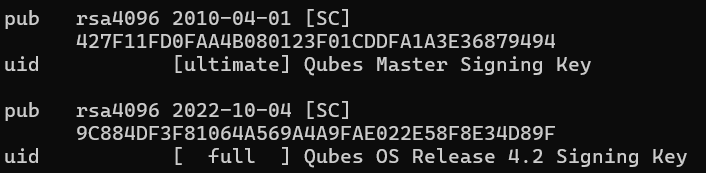
You can go the following way to verify the Release Signing Key(RSK):
-
import and trust the Qubes Master Signing Key (QMSK)
-
check the Release Signing Key (without import) first:
“gpg2 --show-keys --with-sig-list qubes-release-4.2-signing-key.asc”
They you should get somewhat like
-
Then, you can check, that it is signed with the right key:
“gpg -k DDFA1A3E36879494”

-
If both checks successful, you can import the RSK
“gpg --import qubes-release-4.2-signing-key.asc” -
“gpg -k”