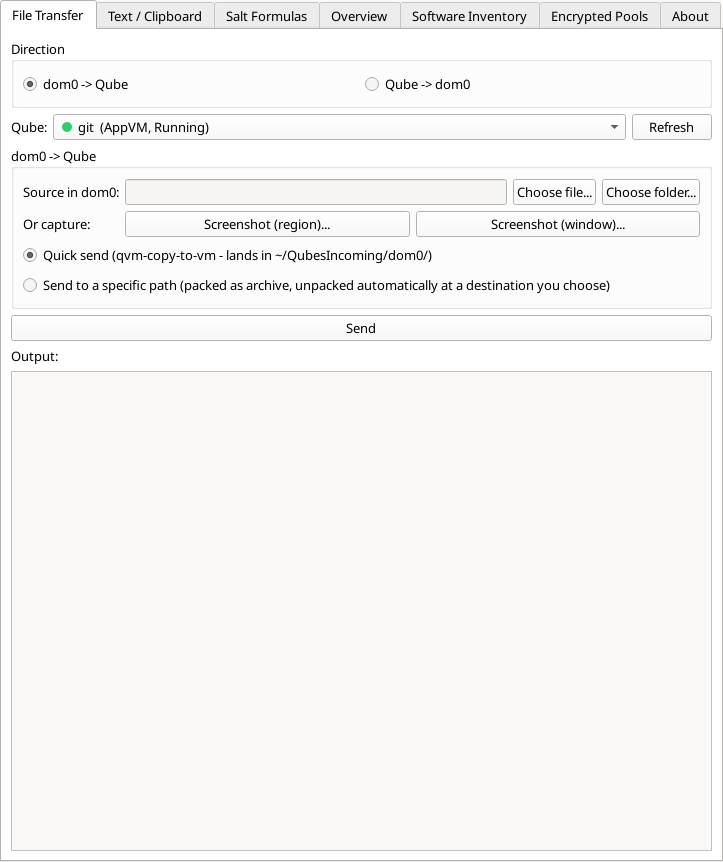
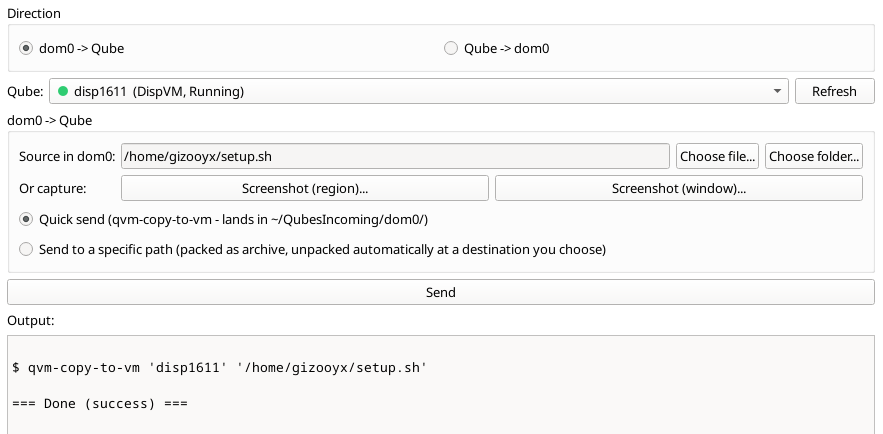
The problem is that capturing is a form receiving.
Well… my point is that it’s not (should not be) dom0’s job to perform any image processing whatsoever, although unfortunately it is doing a lot of graphics stuff today. Ideally, that would be done in a separate GUIVM, where your whole tool would work.
By the way, this tool looks very similar to the sysmaint-split panel in Kicksecure. It’s a really cool and convenient utility in Kicksecure. It would be great to have such a tool officially available in Qubes OS.
I should also remind you that the Qubes OS team recently conducted a survey to gather user feedback and make the system more user-friendly. We must admit that dom0 is currently lacking exactly these kinds of conveniences - specifically, a user-friendly administrative panel that allows many functions to be executed via the GUI with a single click.
Those concerned about the security of dom0 while testing this tool can run dom0 using overlayfs or on /dev/zram0. This approach maximizes safety and leaves no traces in dom0 after a reboot. I have been conducting all my tests in dom0 this way for a long time.
I feel that creating qubes and backups could have been omitted since Qubes has built-in tools for that. But as an idea for developers, having a single panel (like sysmaint-split-panel in Kicksecure) with all the tools is very convenient.
File transfer works perfectly and greatly enhances usability!
The screenshots is excellent now my favorite screenshot tool (it’s a pity it can’t be added to keyboard shortcut combinations in the keyboard settings).
Software Inventory is a fantastically convenient tool!
And creating encrypted pools in two clicks is very cool! This is something missing from Qubes (requests for it have existed on Github for about 10 years).
Now I will hope that this tool will be reviewed by the Qubes team and its code audited. Its functional part is excellent. This work definitely deserves recognition as the best improvement of the last year. One user has done a massive amount of work. It warrants the attention of the developers. Even if this tool isn’t added to Qubes, the Qubes team should create something similar themselves, inspired by this tool and the feedback it has received.
… please do! If I were you I would strip the tool back to a few recognized as favorable, while maintaining personal one in parallel. It shouldn’t be burdensome.
This tool works perfectly on my friend’s device. We didn’t encounter a single bug today. The experience was excellent - a fantastically convenient tool.
We couldn’t create an app shortcut via Github (we tried inserting our own path), so we ended up using this .desktop file:
[Desktop Entry] Type=Application Name=QubesOS Helper Comment=File transfer, clipboard, Salt formulas, overview, software inventory, qube creation, encrypted pool and backup Exec=python3 /home/user/qubes-os-helper/qubes_helper.py Icon=preferences-system Terminal=false Categories=System; StartupNotify=true
i would love it if there were more of these. unlike something like a snap or npm supply chain risk, most people who use qubes are reasonably intelligent, there’s still risk, but the alternative is qubes being so time consuming that some people who could benefit from qubes don’t use it.
sometimes i struggle with upgrading to new templates, like moving everything based on debian 12 to debian 13 is a chore because it means reinstalling so many packages. i wonder if i can use this tool to somehow simplify this process with salt or a script. this is one of my biggest problems with using qubes: multiple templates, multiple apps installed in different templates, and then suddenly, everyone is using something like debian-14 minimal or debian-14 and i’m thinking “It’s going to take so long for me to run dpkg -l, determine what’s default programs and what’s not, run flat pack list, reinstall flatpak in debian-14 and configure it to use whonix, which i’ve done before but can’t remember the syntax for immediately, and then have both templates reinstall everything that’s needed.” and sometimes i’ll also have stand alone vms that aren’t template based but based on templates and then I need to do the exact same thing. It’s time consuming and difficult when trying to balance multiple things. (Is this something I can already do with this? I have to reinstall Qubes because of a disk crash and haven’t used it yet, but want to install it soon.)
really glad to hear that, thanks for sticking with it and testing it for a week!
unfortunately it’ll take a bit longer until I have the criteria compliant version ready.. didn’t manage to properly get to it this week. testing always eats up a lot of time and resources. more feedback is always welcome though, might get us there faster too.
If anyone has Fable, perhaps they can check with Fable to see if this increases attack surface in any way that is unexpected? That’s the only concern with including it by default. I don’t see how it would increase attack surface. But hackers are using models to find attack surface already and probe for vulnerabilities. I would guess someone would have to exploit dom0 to exploit this, but I don’t know. I’m not as smart as many people on here who use Qubes.
I’m using the tool right now and it’s as amazing as it looked.
I’m not above begging, so here we go:
Under software inventory, would you consider adding flatpak with it updating through whonix and the default flatpak repo installed and would you consider adding Librewolf? Plllleeeeeease…
Yes, extrepo makes this a lot easier to add Librewolf these days, but being able to one-click add Librewolf and one-click add flatpak would make life much easier.
So one thing I noticed is that the encrypted pool has to be encrypted in dom0. This is okay, but I wish it came from vm-pool, especially since by default this is usually the much larger space. For example, I don’t usually use Windows. On rare occasion, I might need to do that. I’d prefer that to be encrypted. That’s an HVM, probably 80 GB, and I could easily do that if it came out of vm-pool. To do it right now out of dom0, I have to reinstall and make dom0 much larger.
First, study the issue before posting comments. What does this have to do with vm-pool? You need to create a new pool, yet you are suggesting doing it inside an existing one, which is impossible. You could have created an encrypted pool outside of dom0 if you had left free space on the SSD during installation and then created a new vm-pool2 there. Creating pools from files is the simplest method and possibly the only option in this situation. You can easily increase the size of dom0 up to 500 GB. If you had installed Qubes OS with Btrfs, dom0 would have taken up your entire disk, and all VMs would have been running inside it.
This is giving me Stack Overflow vibes, and I’m here for it.
I did the entire Qubes install not making dom0 bigger, not realizing how much I would want it to be bigger. Is there a way to resize dom0 easily in Qubes? But I get your point that what I am saying doesn’t make sense, because they are both types of pools, and for some reason pools can’t be nested, right?
Noob likes it alot.
But i still cant copy / paste.
my hopes were so high. Why cant i figure it out?
No copy/paste video anywhere so i can follow along?.
It disappears after the global gives me the OK.
I 'm the only noob who cant get the special copy/paste to work?
I can’t find the the standaloneVM incoming folders.
what does your output log show? and just to confirm, is the tool running inside dom0? the tool itself is pretty uncomplicated, so happy to help figure out what’s going wrong. share a screenshot or the exact steps you’re taking.