There are multiple solutions to your requirement.
- Take a look at
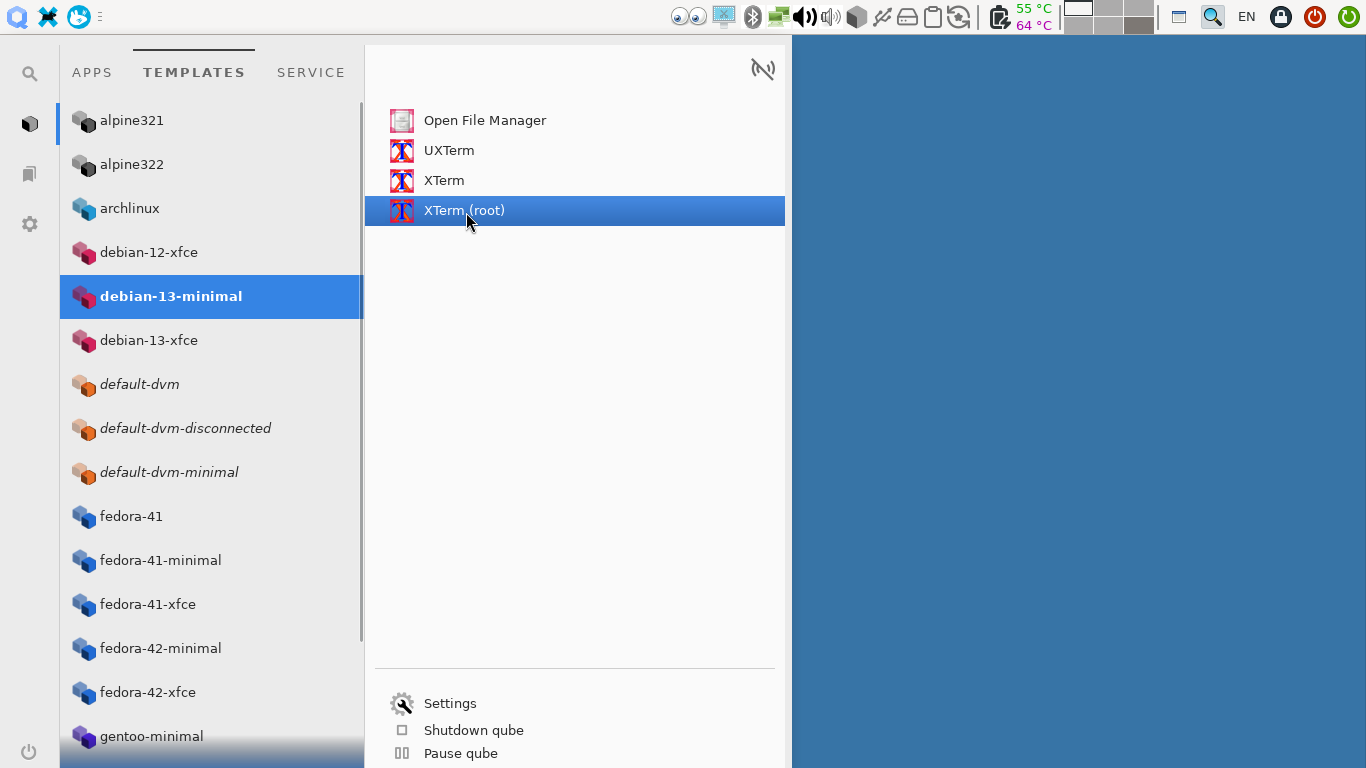
~/.local/share/applications(in dom0) and find.desktopfile for Debian 12 Xterm (it should be something likeorg.qubes-os.vm._debian_d13_dminimal.debian-xterm.desktop. Then copy the file to a new.desktopfile. Modify these two lines:
--- org.qubes-os.vm._debian_d13_dminimal.debian-xterm.desktop	2025-07-21 14:07:48.520426875 +0330
+++ org.qubes-os.vm._debian_d13_dminimal.debian-xterm2.desktop	2025-07-30 12:36:14.032578663 +0330
@@ -5,9 +5,9 @@
 X-Qubes-VmName=debian-13-minimal
 X-Qubes-AppName=debian-xterm
 Icon=/home/alimirjamali/.local/share/qubes-appmenus/debian-13-minimal/apps.icons/debian-xterm.png
-Name=debian-13-minimal: XTerm
+Name=debian-13-minimal: XTerm (root)
 StartupWMClass=debian-13-minimal:XTerm
 Comment=standard terminal emulator for the X window system
 Categories=System;TerminalEmulator;X-Qubes-VM;
-Exec=qvm-run -q -a --service -- debian-13-minimal qubes.StartApp+debian-xterm
+Exec=qvm-run -q -a --service -u root -- debian-13-minimal qubes.StartApp+debian-xterm
 X-Qubes-DispvmExec=qvm-run -q -a --service --dispvm=debian-13-minimal -- qubes.StartApp+debian-xterm
Pay attention that it uses qubes.StartApp+debian-xterm.
Then you will have the root shortcut in App Menu which will work:
-
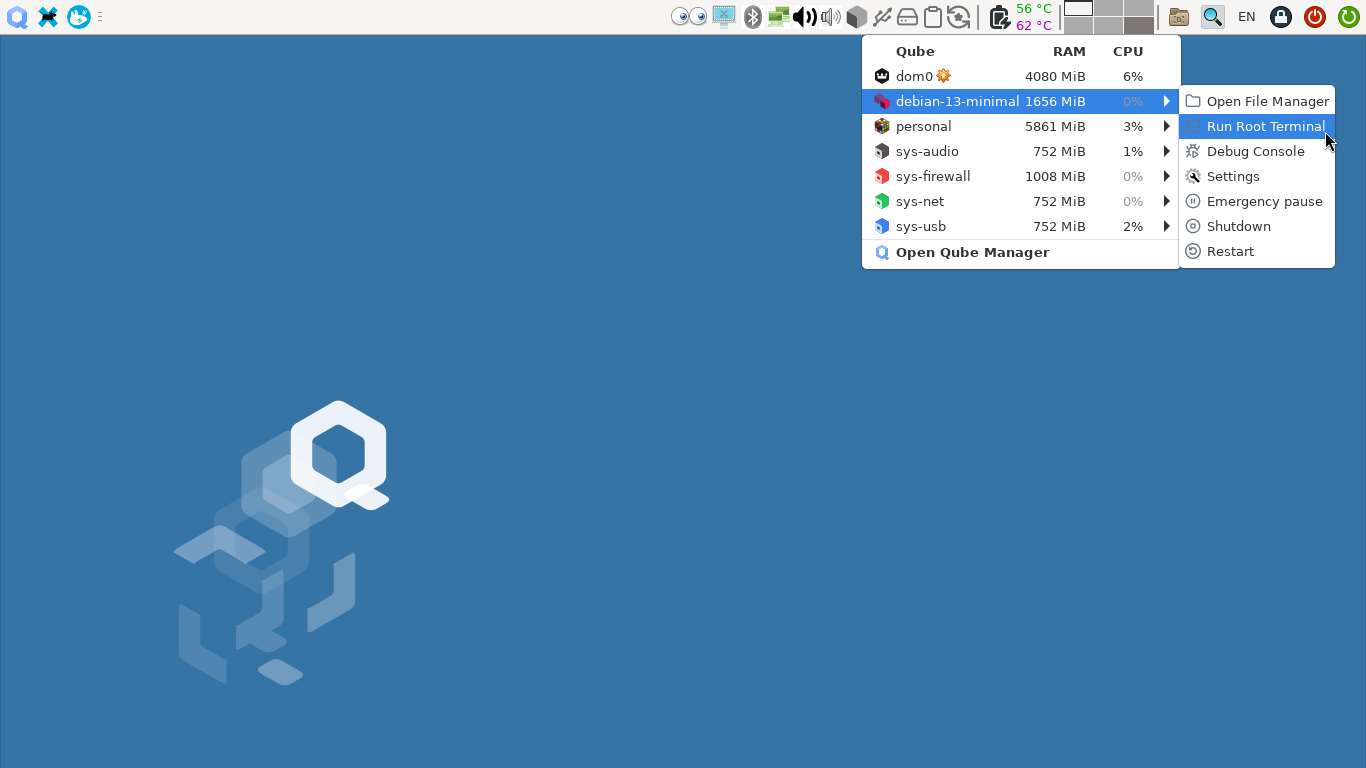
There has been a recent patch to Qui Domains Widget (I am not certain if it is only available for Qubes OS r4.3 or is backported to r4.2 as well). If you hold down
shiftkey and point you mouse toRun Terminalmenu item, it morphs toRun Root Terminaland you will be able to open root terminal directly from there.
-
If you want similar behavior from App Menu shortcuts (allowing to run them as root while holding shift key), you may open a feature request on Qubes Github issues page.