I’ll try to investigate soon. Can you roughly describe your setup to reproduce the issue?
Sure.
As for speed issues… I followed the github instruction to create mirage-firewall from pre-build binaries and set it as default firewall. Set the table for 500000 and memory for 512.
As for the DNS over HTTPS… If mirage is the default firewall and I start disposable firefox and look for the DNS over HTTPS the menu to select the provider is empty. If I launch disposable firefox with sys-firewall the menu works normally.
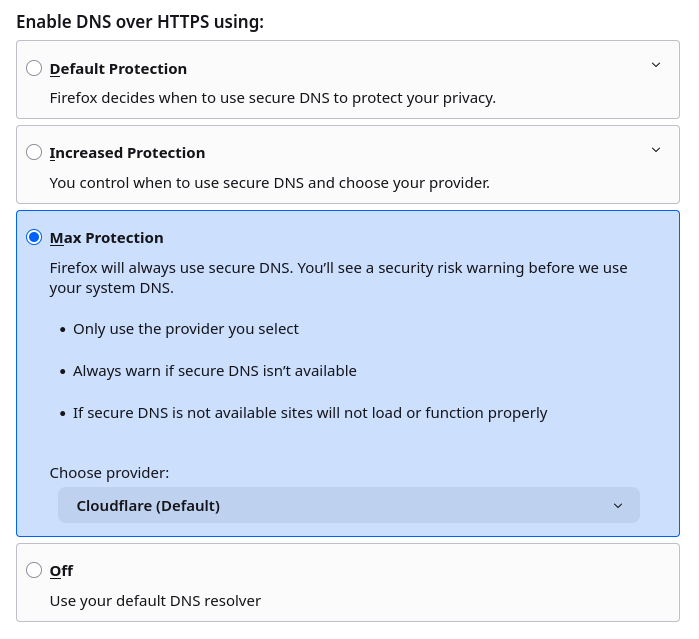
How come it’s only me? where you see Cloudflare (Default) I have an empty field, but only when the disposable is using mirage-firewall. If I change default-dvm to use sys-firewall I see the list like you do
I cannot reproduce that. For me the menu appears the same when I use sys-firewall based on debian-minimal or one based on Mirage-based firewall… Probably you have to restart the Mirage firewall after assigning new qubes to it (but this is only a guess… and you would not have to do this during normal operation, when the qubes are not changing their netvm).
Can you check if you can resolve and ping “cloudflare-dns.com” when you get the empty list?
Restarting mirage-firewall solved the issue with the DNS… I wouldn’t have thought of that 